Workout plans for personal trainers
Workout plans your clients actually follow.
FitLens is a workout plan app for personal trainers. Build a plan from more than 650 exercises, share it with any client, and they follow it one set at a time on their phone. Every set they log, with the weight, reps and time, lands in FitLens next to their meals, so you coach training and nutrition from one place.
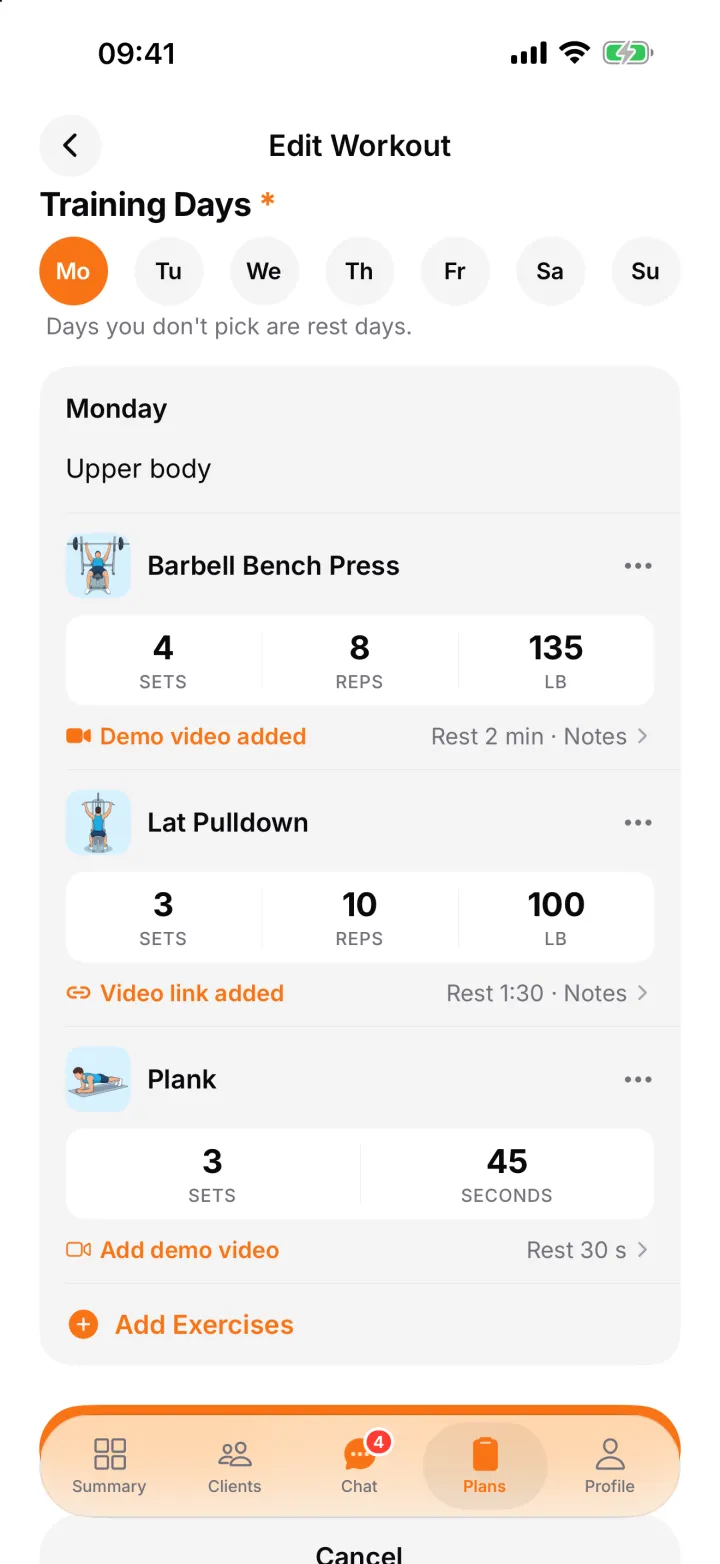
Build a workout plan in minutes
- Weekly or rotation. Fix training to weekdays (Monday, Wednesday, Friday) or run a rotation (Day 1, Day 2, Day 3) that moves on whenever the client trains.
- 650+ exercises. Search by name, muscle or equipment, each with start and end illustrations and step-by-step instructions. Add your own exercises when you need something specific.
- Targets on every exercise. Sets, reps or a timed hold, weight and rest, typed straight onto the exercise, plus a coaching note.
- Your own demo videos. Record a quick demo, choose one from your phone, or paste a YouTube or Vimeo link.
- Start from a template. Beginner Full Body, Push / Pull / Legs and Upper / Lower are ready to copy and adjust, or duplicate any plan you have already written.
What your clients see
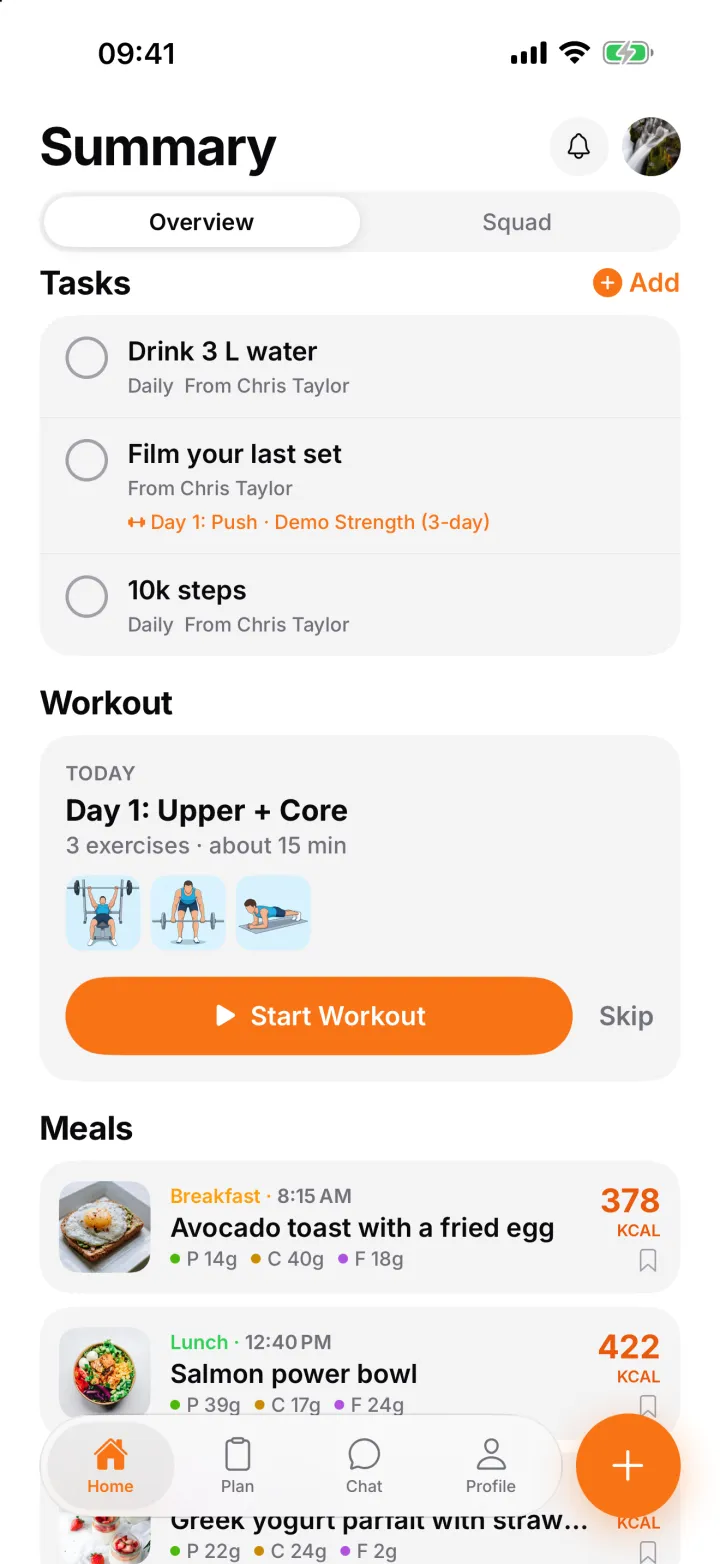
- Today's workout on their home screen, with one tap to start.
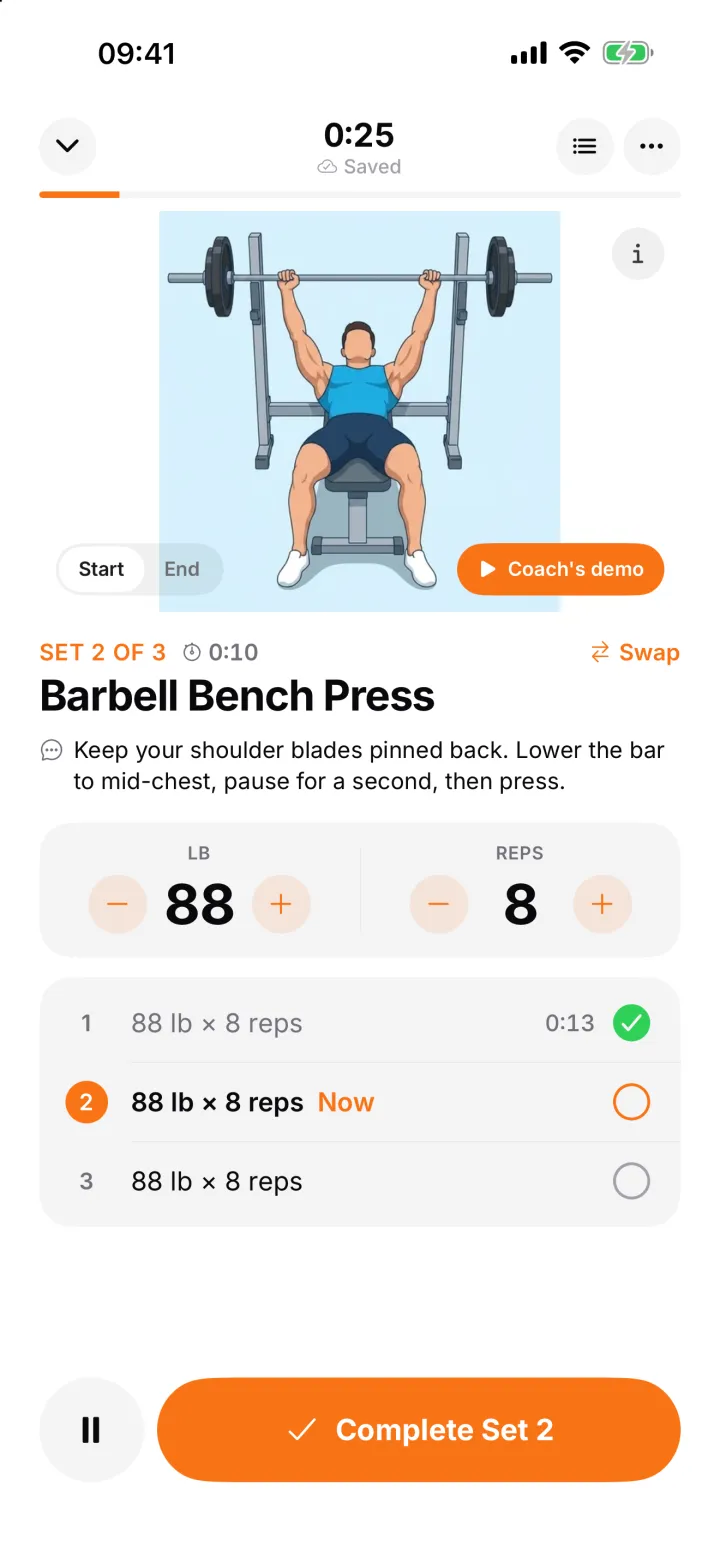
- One set at a time: the weight and reps to do, what they lifted last time, and a tick for every set.
- A rest countdown between sets, and a timer for holds like planks.
- A swap for a similar exercise when the machine is taken, and your demo video one tap away.
- A summary at the end with time, sets and time on each exercise.
See every session, set by set
Each finished workout shows what your client did against the targets you set: the weight and reps for every set, any exercise they swapped, and how long each exercise took. You get a notification when a client finishes a workout, and workout analytics show who is training consistently and how their strength is moving, so you know who to congratulate and who to check in with.
Training and nutrition in one app
Most trainers run workouts in one app and food diaries in another, or in WhatsApp. FitLens keeps both together: clients log meals with a photo and follow your workouts in the same app, and you see both on one client screen. Shared tasks tie it together, for example “film your last set” linked to a workout day. Read more about nutrition tracking for personal trainers or how to track your clients' nutrition.
Common questions
Can I add my own exercises?
Yes. If an exercise isn't in the library of more than 650, add it with your own name, instructions and photo. Your custom exercises are only visible to you and your clients.
Can I record a demo video for an exercise?
Yes. Record a short demo or choose one from your phone, or paste a YouTube or Vimeo link. Your client sees a Coach's demo button on that exercise during the workout.
What happens when I edit a plan a client is already following?
Your changes apply from the client's next workout. Workouts they have already logged keep the targets they were done against, so their history stays accurate.
Can clients log weights and reps without signal in the gym?
Yes. Every set is saved on the phone first and sent when the connection is back, so a dead spot in the gym never loses a set.
Do clients have to pay for workouts?
No. Clients always use FitLens for free, including workout plans. Trainers in the pilot coach up to 10 clients free too, and keep that after launch.
Pricing
Workout plans are included in FitLens at no extra cost. Trainers who join the pilot get up to 10 clients free, and keep that after launch. Clients always use it for free.
Exercise data by RepDB.
Last updated October 26, 2026