Client snapshots
Adherence, weight trend, targets, notes and meals awaiting review on one screen.
FitLens is the personal trainer app for coaching nutrition and training in one place. Clients log meals with a photo and follow your workouts set by set; you get one dashboard that shows who needs you today. FitLens takes care of the managing, so you can coach more clients and take on new ones.
Clients always free · iPhone, with Android in testing · See every feature
The problem
Most trainers juggle WhatsApp, spreadsheets, PDFs and screenshots to keep track of clients. It works for a few clients, then all the chasing decides how many more you can take on.
Without FitLens
With FitLens
One app for your clients' meals, workouts and check-ins.
The trainer dashboard
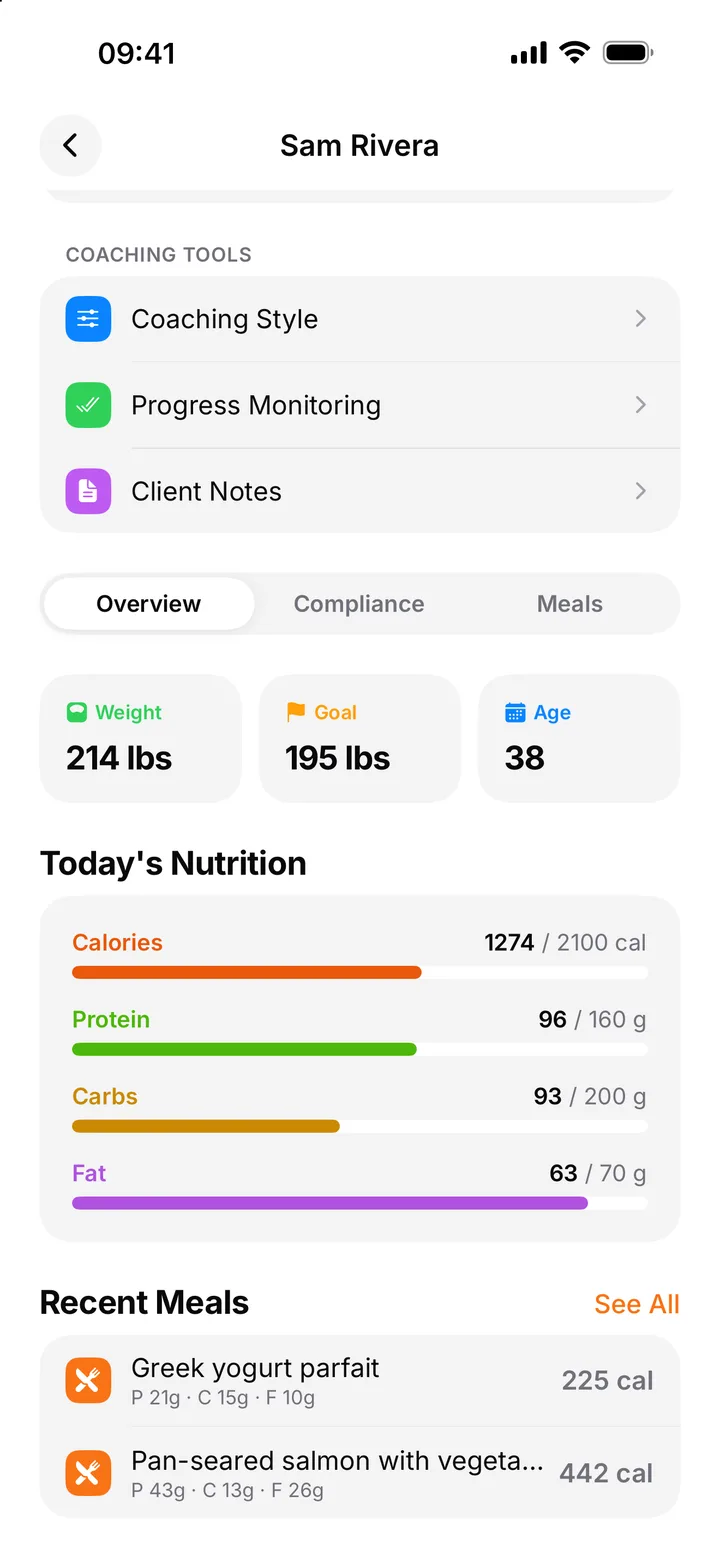
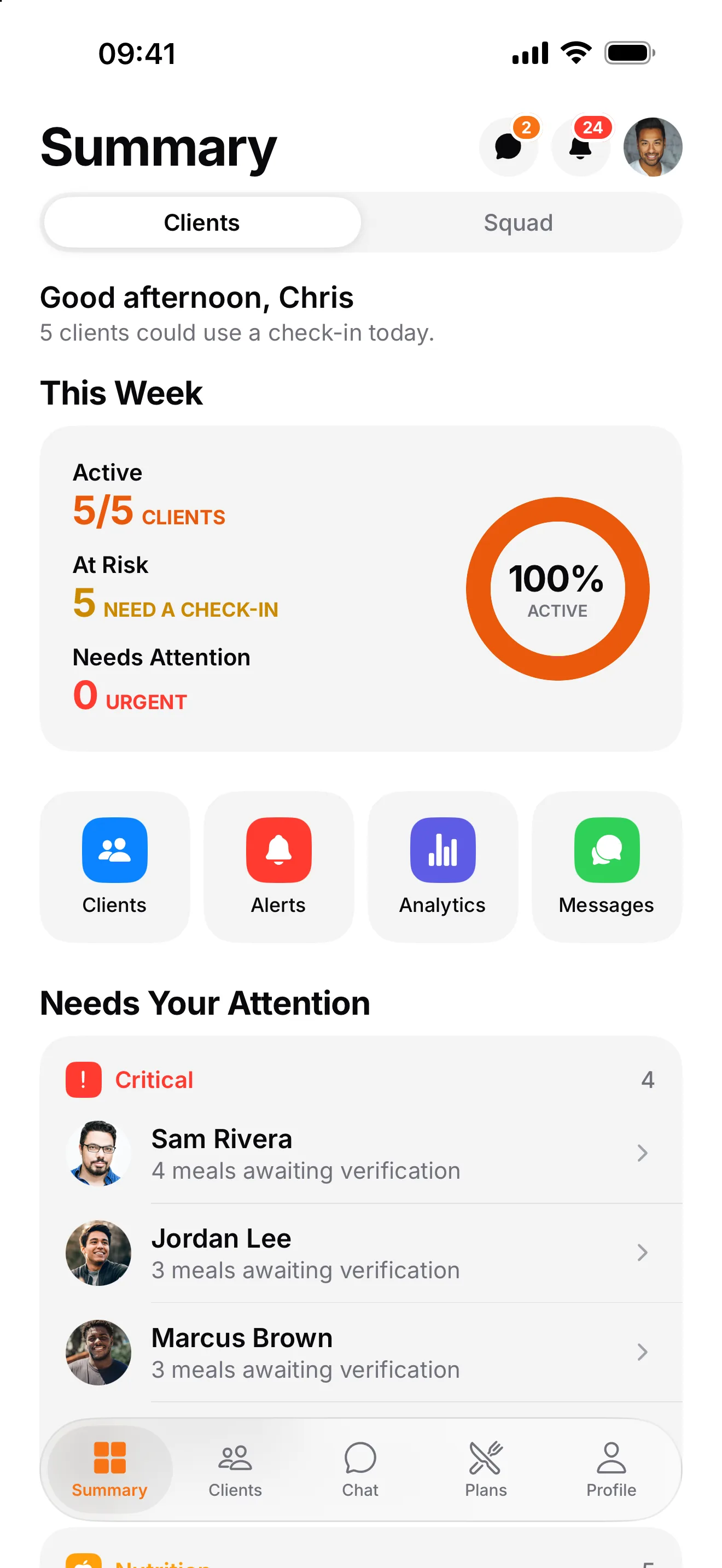
What every client ate, how they're trending, and who needs you today, ranked by urgency. No more chasing screenshots and food diaries.
Example attention queue
Critical. No meals logged in 2 days. Reach out today.
Nutrition. Protein under target 5 of the last 7 days.
To review. 3 meals awaiting your verification.
On track. Logging consistently and hitting targets.
Adherence, weight trend, targets, notes and meals awaiting review on one screen.
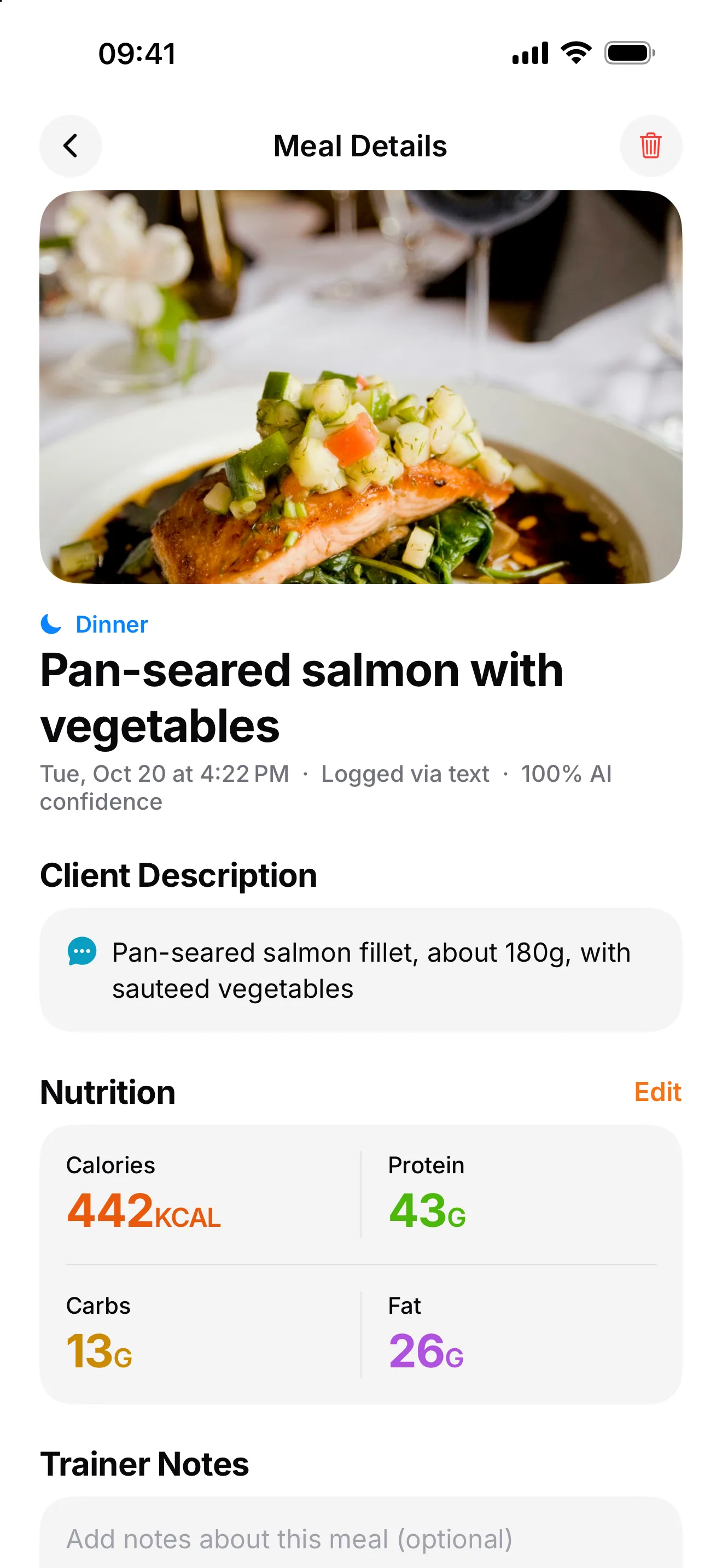
See each logged meal with its photo and AI breakdown, add a note, and mark it as verified.
Workout plans
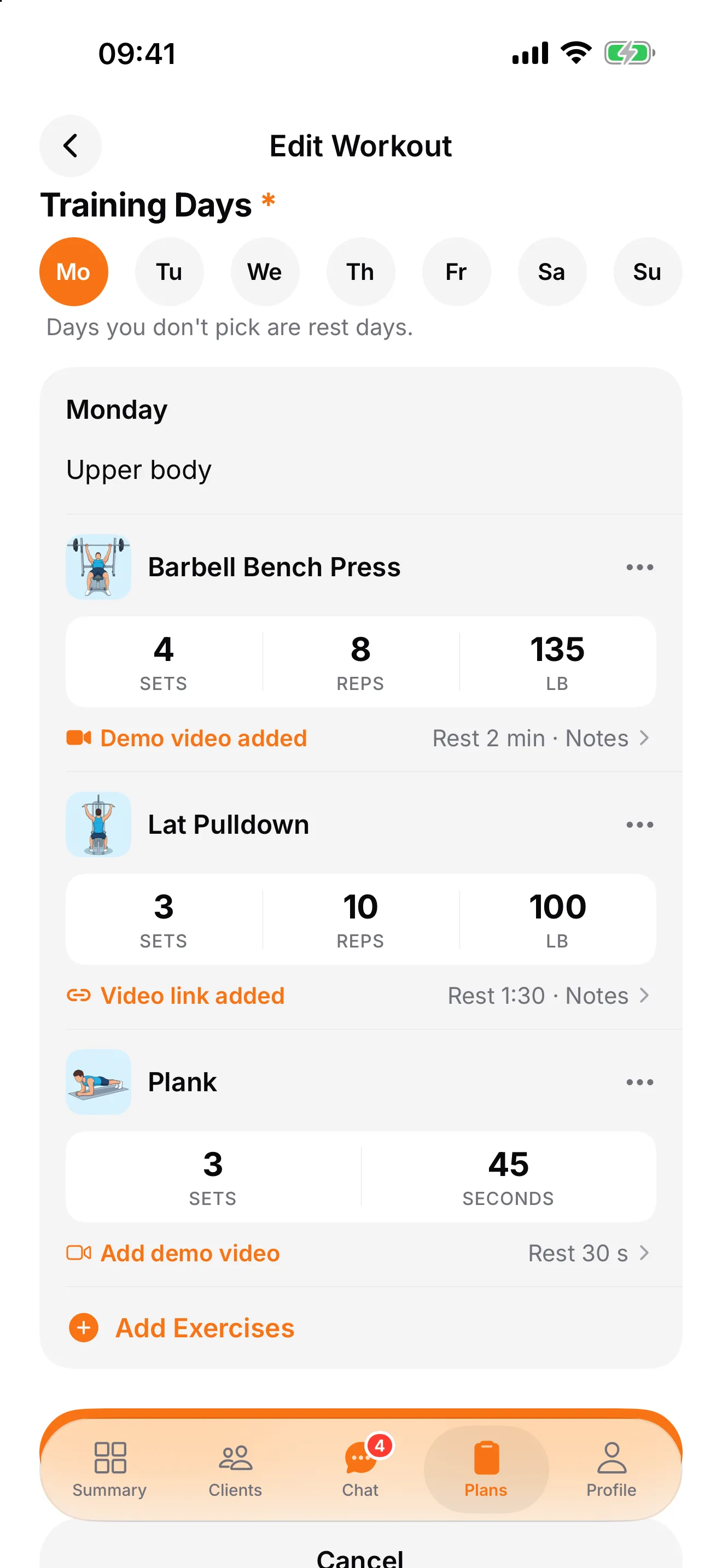
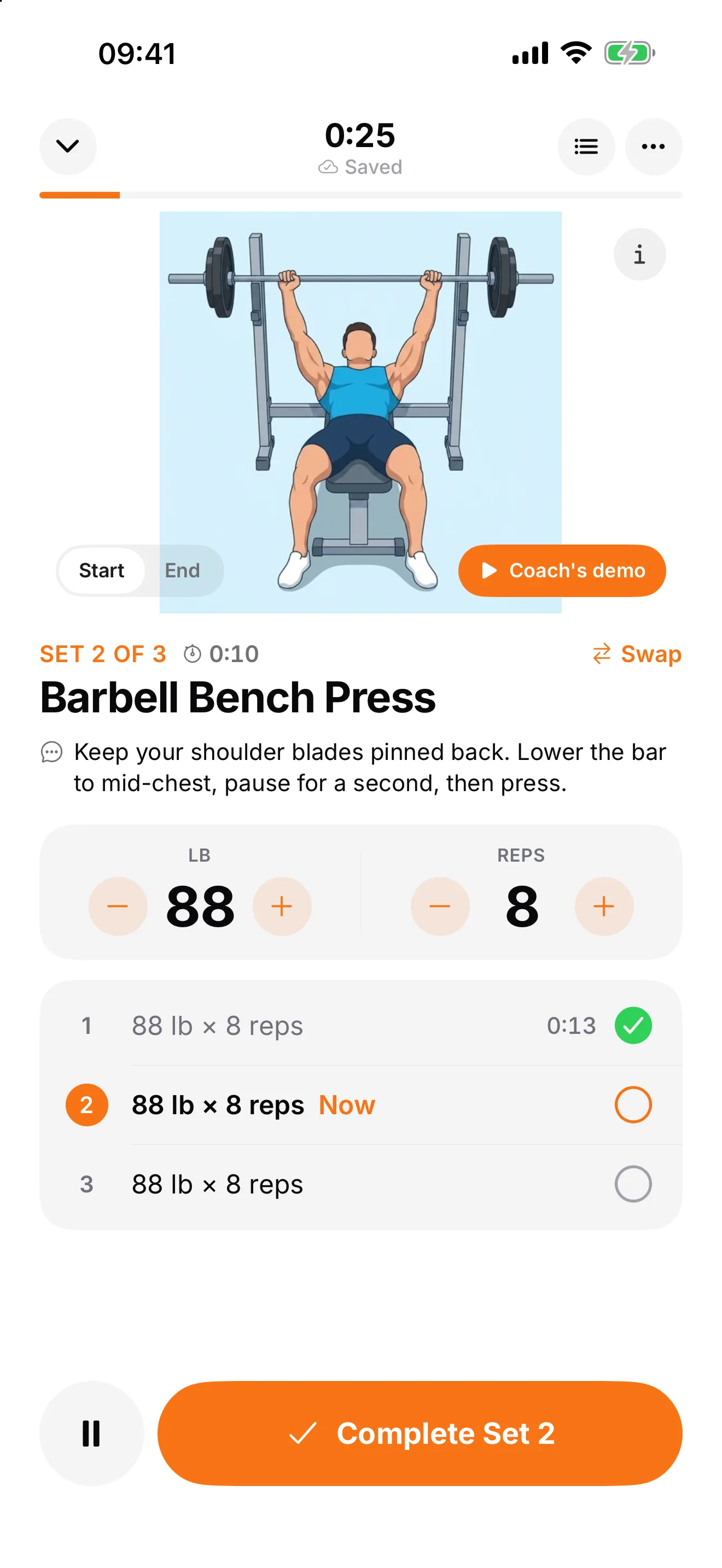
Build the plan once from more than 650 exercises and share it. Your clients follow it one set at a time, and every set lands in FitLens next to their meals.
Sets, reps and weight in place. Type the targets right on each exercise, plus rest, notes and timed holds.
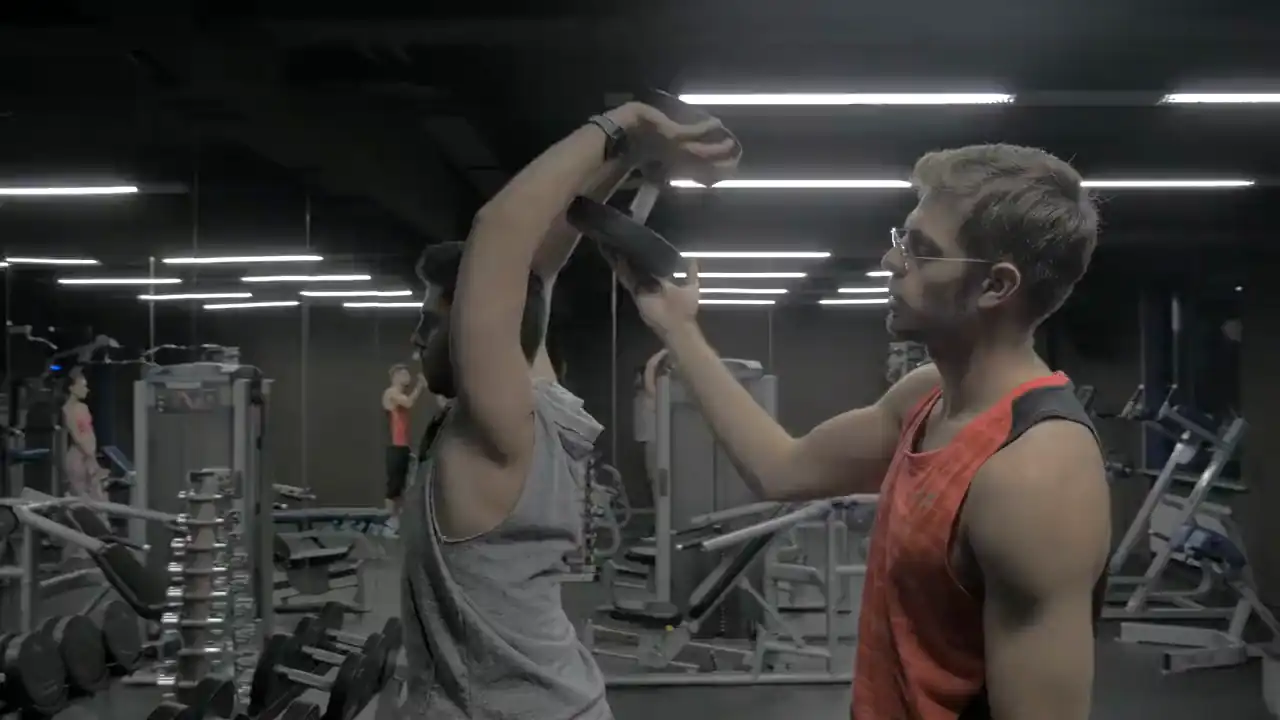
Your own demo videos. Record a quick demo or paste a link, and it shows on that exercise.
Every session, logged. See each set your client did against your targets, and how long it took.
Nutrition tracking
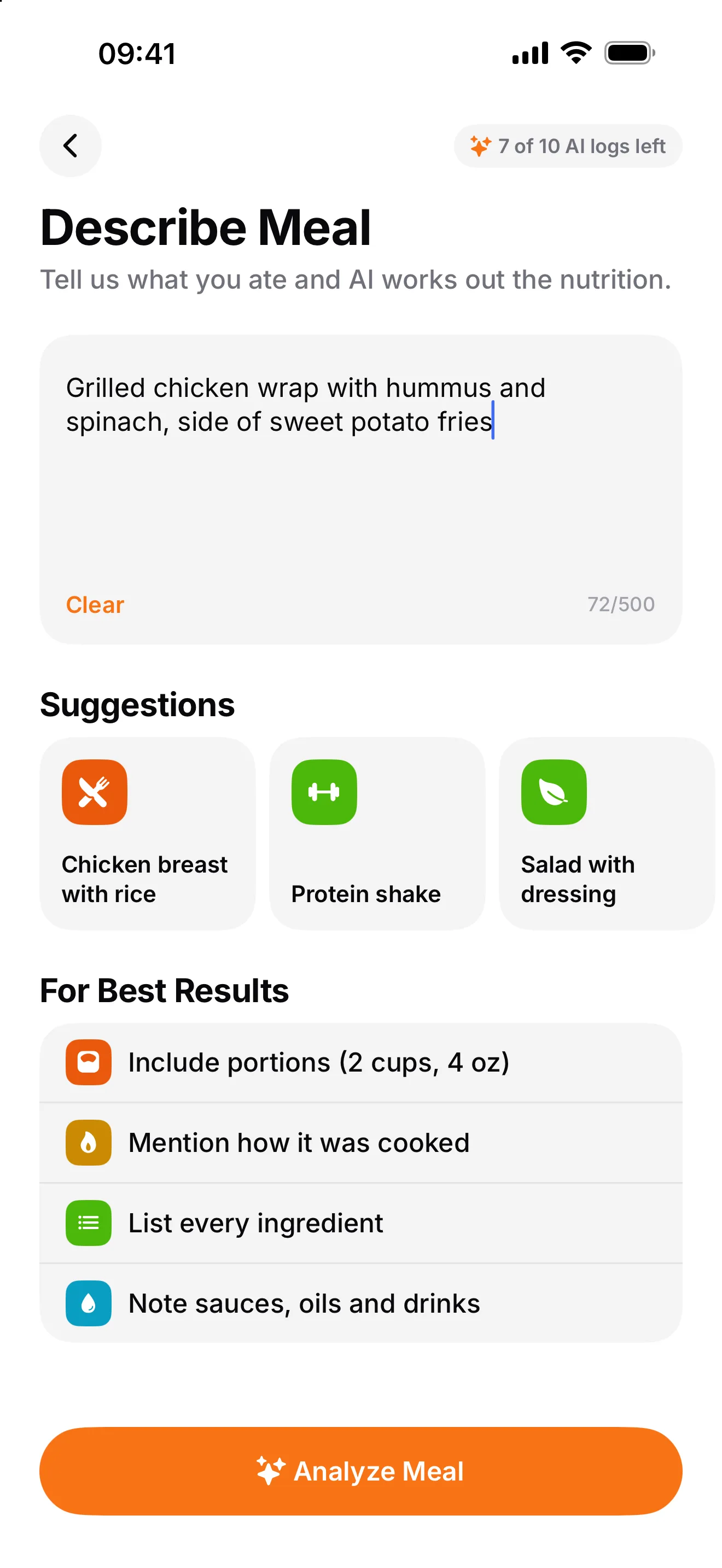
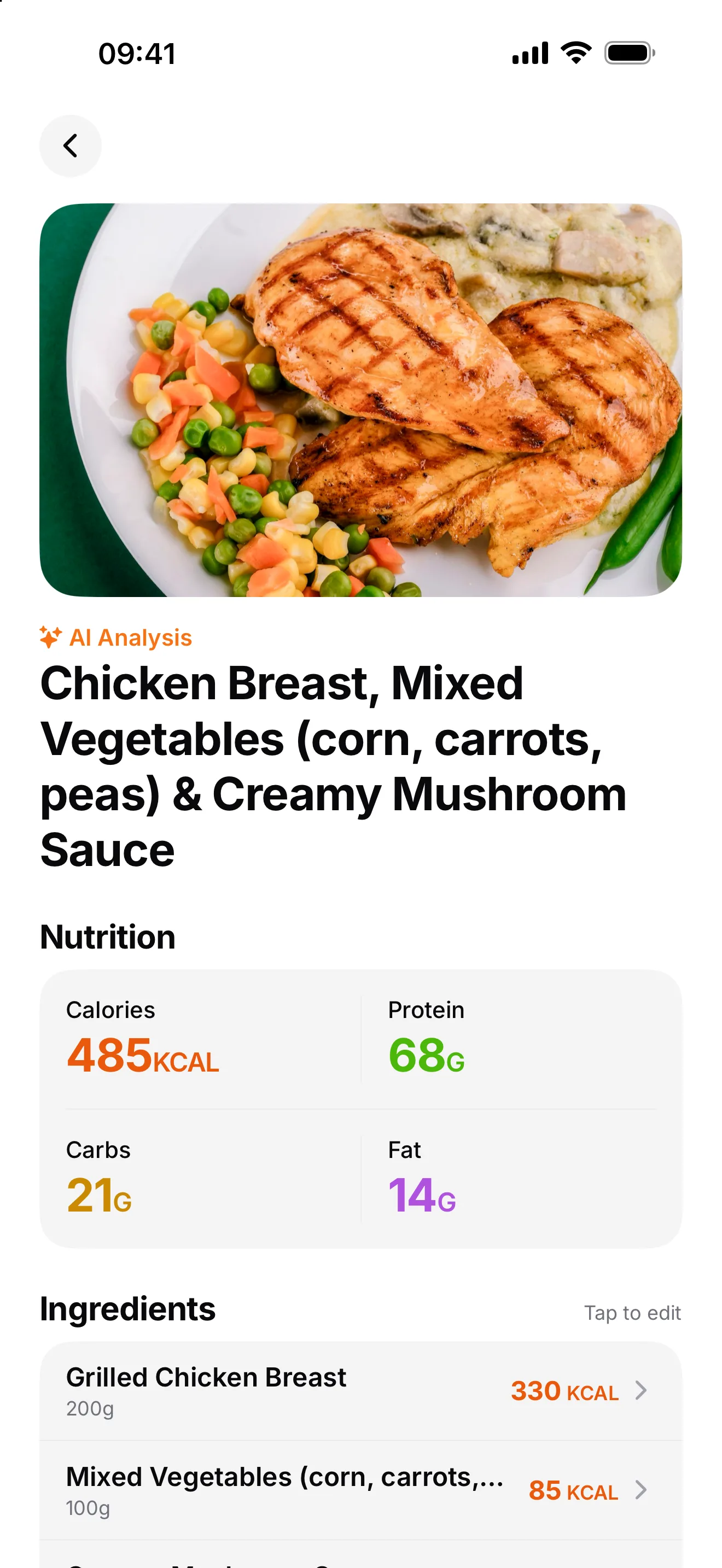
Clients snap a photo of their plate or type what they ate. FitLens estimates calories, protein, carbs and fat ingredient by ingredient, and the meal lands on your dashboard for review.
Photo in, macros out. A full breakdown of every meal, with ingredients you can check.
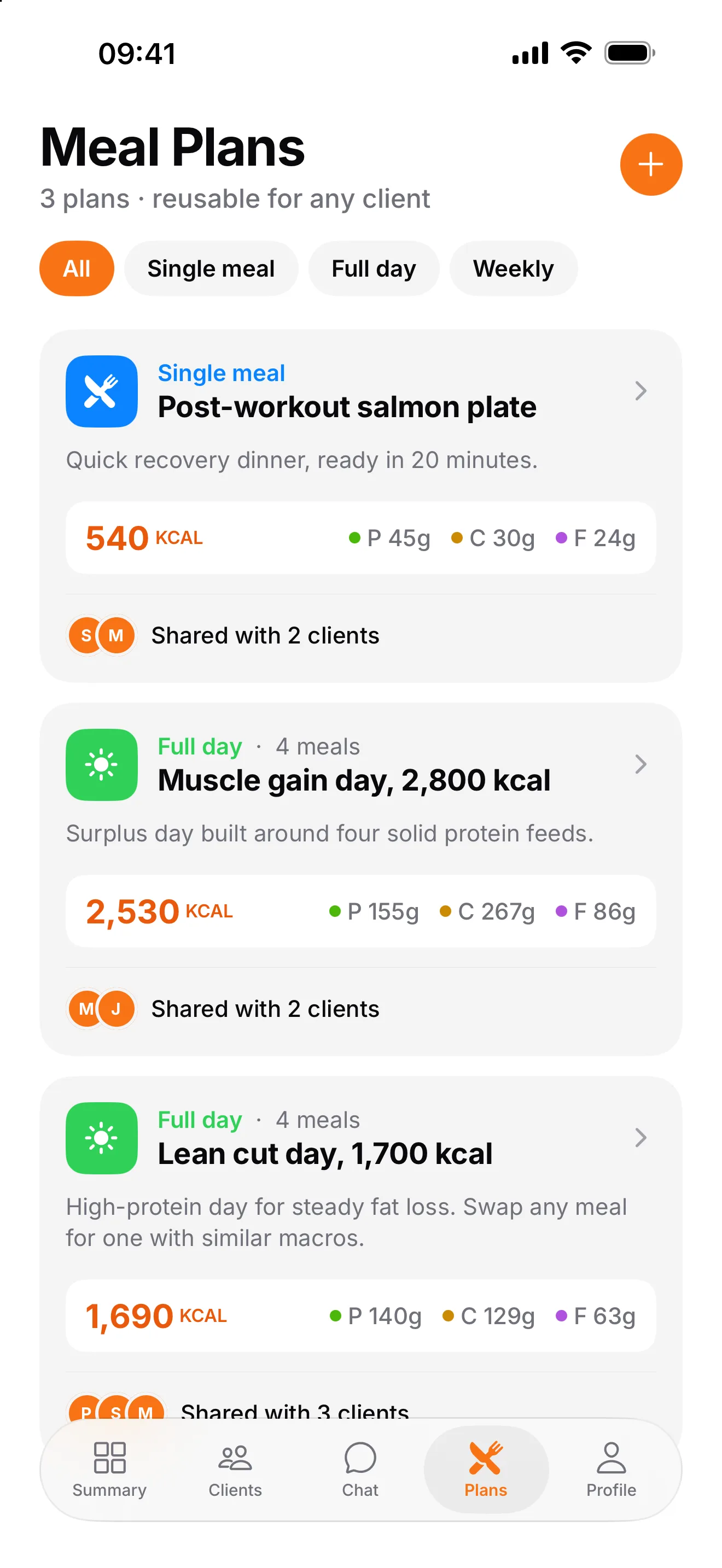
Meal plans, written once. Build a single meal or a full day and share it with as many clients as you like.
Trainer review. Verify meals, leave notes, and spot patterns across the week.
See it in action
Clients snap a photo of a meal or type a short description, and FitLens estimates calories, protein, carbs and fat, ingredient by ingredient. Below is a real analysis from the app: the meal a client described, the macros and every ingredient FitLens found.
What did you eat?
ExampleExample meal description: Grilled chicken salad with mixed greens, cherry tomatoes, cucumber, avocado and olive oil
AI breakdown
85% confidence
A real FitLens analysis, replayed as an example. Nutrition values are AI estimates to support coaching, not medical advice.
For your clients
The easier it is for clients to log, the more of their week you actually see. FitLens makes it a photo, not a chore, and today's workout is waiting on their home screen.
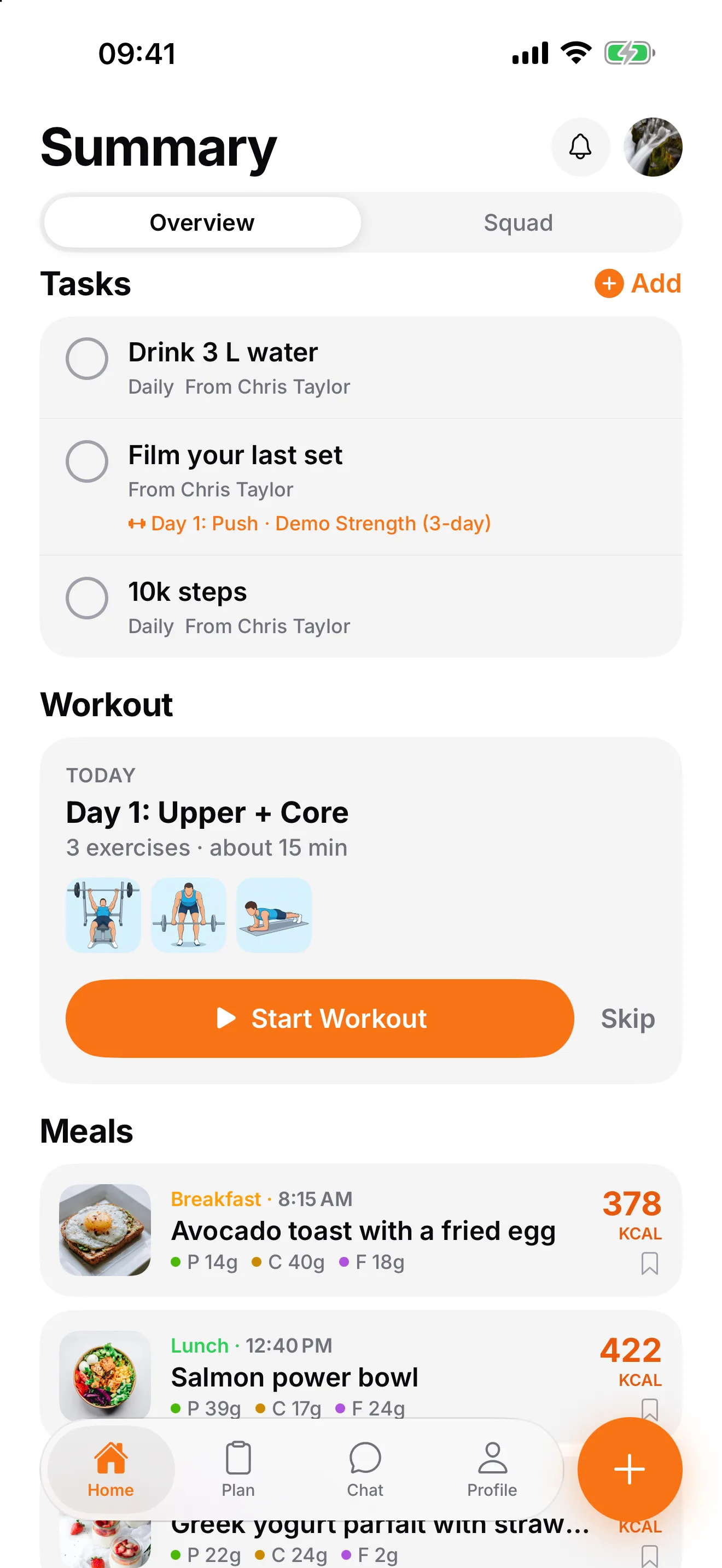
Photo in, macros out
A full breakdown of every meal, with ingredients they can check.
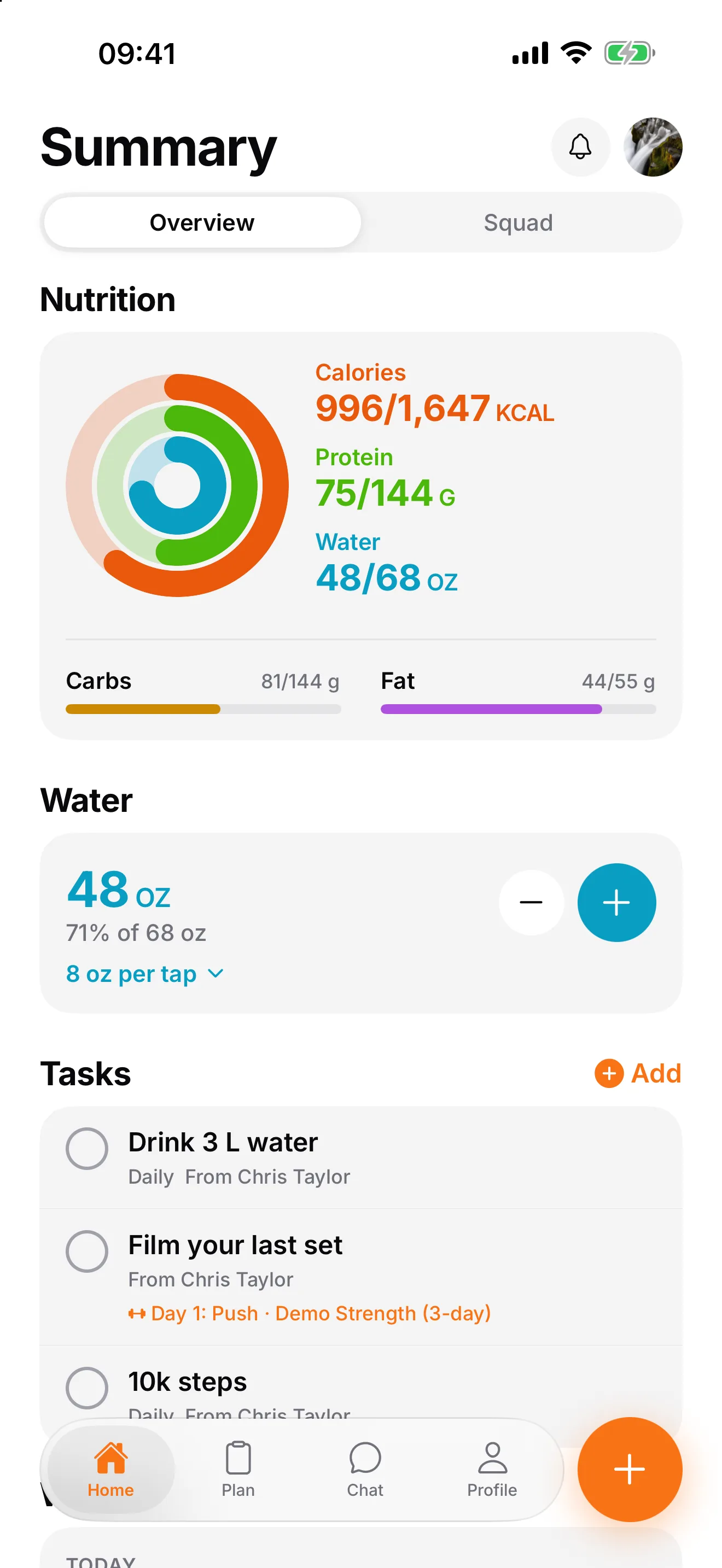
Today at a glance
Calories, protein, carbs, fat and water in one ring.
Plans from your coach
Meals and workouts their trainer shares, ready to follow.
A squad that keeps them honest
Share meals, cheer each other on, message their coach.
How it works
Share your trainer code. Clients download FitLens for free and land in your roster and your squad.
Write a meal plan or a workout plan once and give it to as many clients as you like.
Meals and workouts land on your dashboard, with a daily list of who needs you. Step in before anyone drifts.
The pilot
We're onboarding a small group of personal trainers first. Here is exactly what that means.
All 37 features
Everything in FitLens today, for you and for your clients.
FAQ
FitLens is a coaching app for personal trainers. Clients log meals with a photo or a short description and follow their trainer's workout plans set by set, and the trainer sees every client in one dashboard. It isn't related to the other apps called FitLens, such as posture or body-scan apps: this FitLens is made for trainers and their clients.
It takes over the managing that limits how many clients one trainer can handle: chasing food diaries, rewriting the same plans, and working out who is slipping. Clients log meals and workouts themselves, you write each plan once, and a daily list tells you who needs you. That time goes back into coaching, or into taking on more clients.
During the pilot, FitLens is free for trainers coaching up to 10 clients, and trainers who join the pilot keep 10 free clients after launch. Clients always use the app for free. Coaching more than 10? Email contact@usefitlens.com and we'll add room for more.
FitLens estimates each meal ingredient by ingredient and shows a confidence score, so clients can check what it found. It's built for coaching decisions, not medical advice, and you can review every meal from your dashboard.
Yes. Pick from more than 650 exercises (or add your own), set sets, reps, weight and rest, and share the plan with any client. Clients follow it set by set with a rest timer, and you see every session they log.
Just the FitLens iPhone app. They sign up, enter your trainer code, and they're in your roster and your squad straight away.
FitLens is on iPhone now, and the Android app is in testing. Leave your email and we'll let you know when it's on Google Play.
It's stored securely, never sold, and never used for advertising. Clients can delete their account and data at any time from the app.
Join the pilot
We're onboarding a small group of personal trainers first. Leave your email and we'll set you up, free for up to 10 clients, and you keep that after launch. FitLens is on iPhone, and your clients always use it for free.