
// For personal trainers
Nutrition tracking for personal trainers.
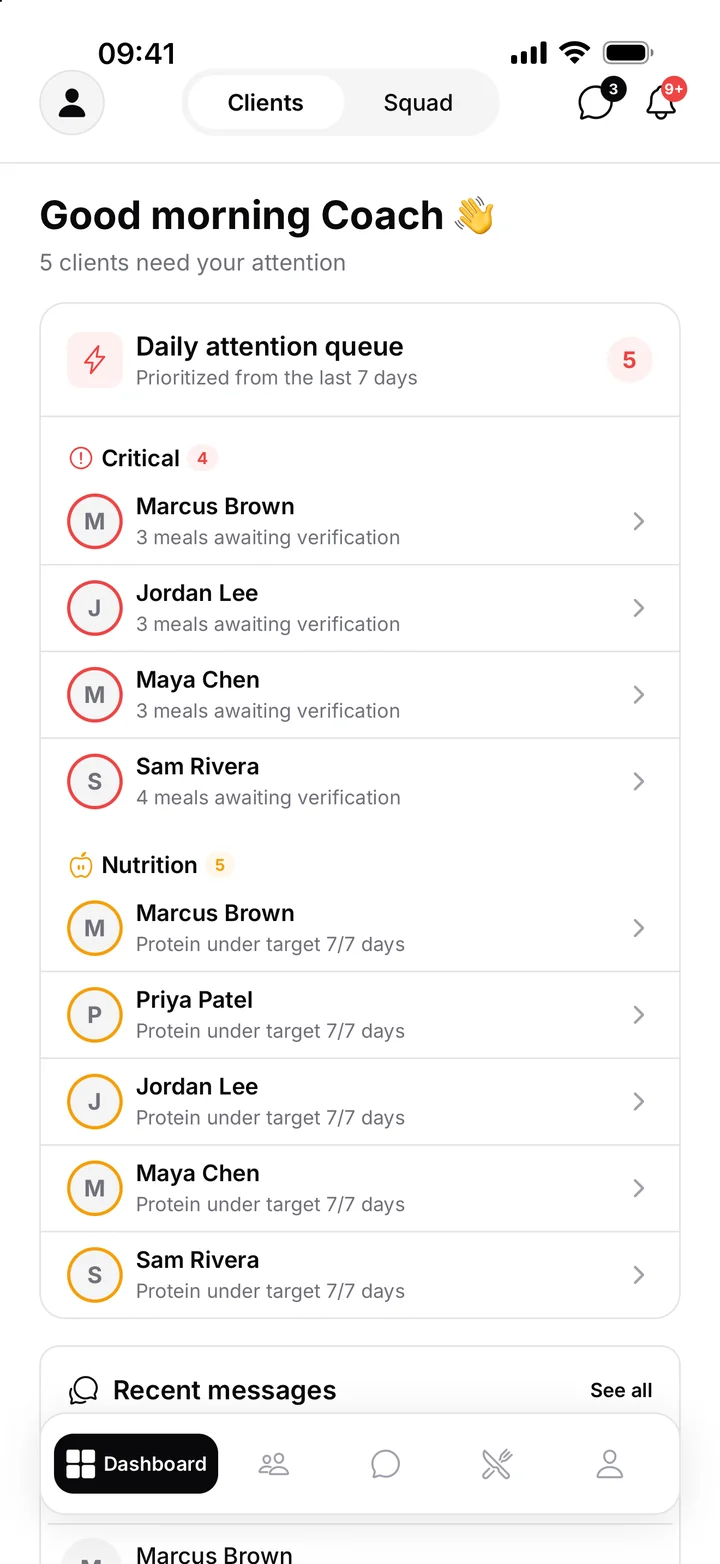
FitLens shows you what your clients actually eat. Clients snap a photo of each meal or type a one-line description, FitLens estimates the calories, protein, carbs and fat, and every meal lands on your dashboard with a daily list of the clients who need you most.
The problem: you coach nutrition blind
Workouts happen in front of you. Meals happen everywhere else. Most trainers piece nutrition together from food diaries, screenshots of calorie apps and messages like “ate pretty well this week”. It's slow to review, easy for clients to stop doing, and you usually find out a client has drifted weeks after it started.
FitLens fixes the two things that break nutrition coaching: clients stop logging because it's tedious, and trainers can't see the data without chasing it.
How it works
- Clients log in seconds. A photo of the plate, a short text description, or both. No weighing, no database searches.
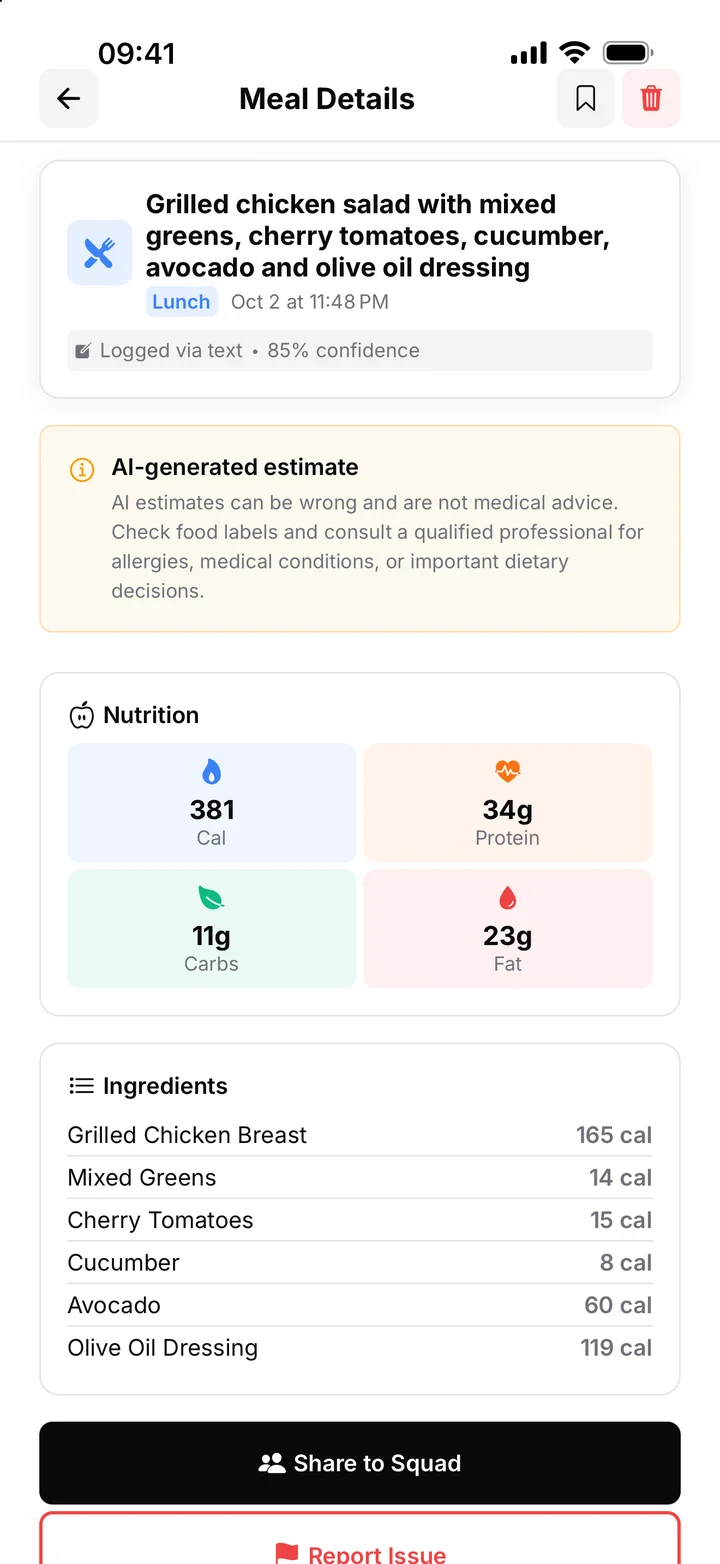
- AI breaks the meal down. FitLens estimates calories, protein, carbs and fat ingredient by ingredient, with a confidence score, so clients and coaches can see exactly what was counted.
- You see it on your dashboard. Every client's meals, targets and adherence in one place, plus a prioritised list of who needs attention today.
What you get as the trainer
- Daily attention queue. Clients who have stopped logging, keep missing protein or are well over target rise to the top, so you spend your time where it matters.
- Client snapshots. 7-day adherence, weight trend, targets, notes and meals awaiting your review on one screen.
- Meal review. See each logged meal with its photo and breakdown, and mark it as verified.
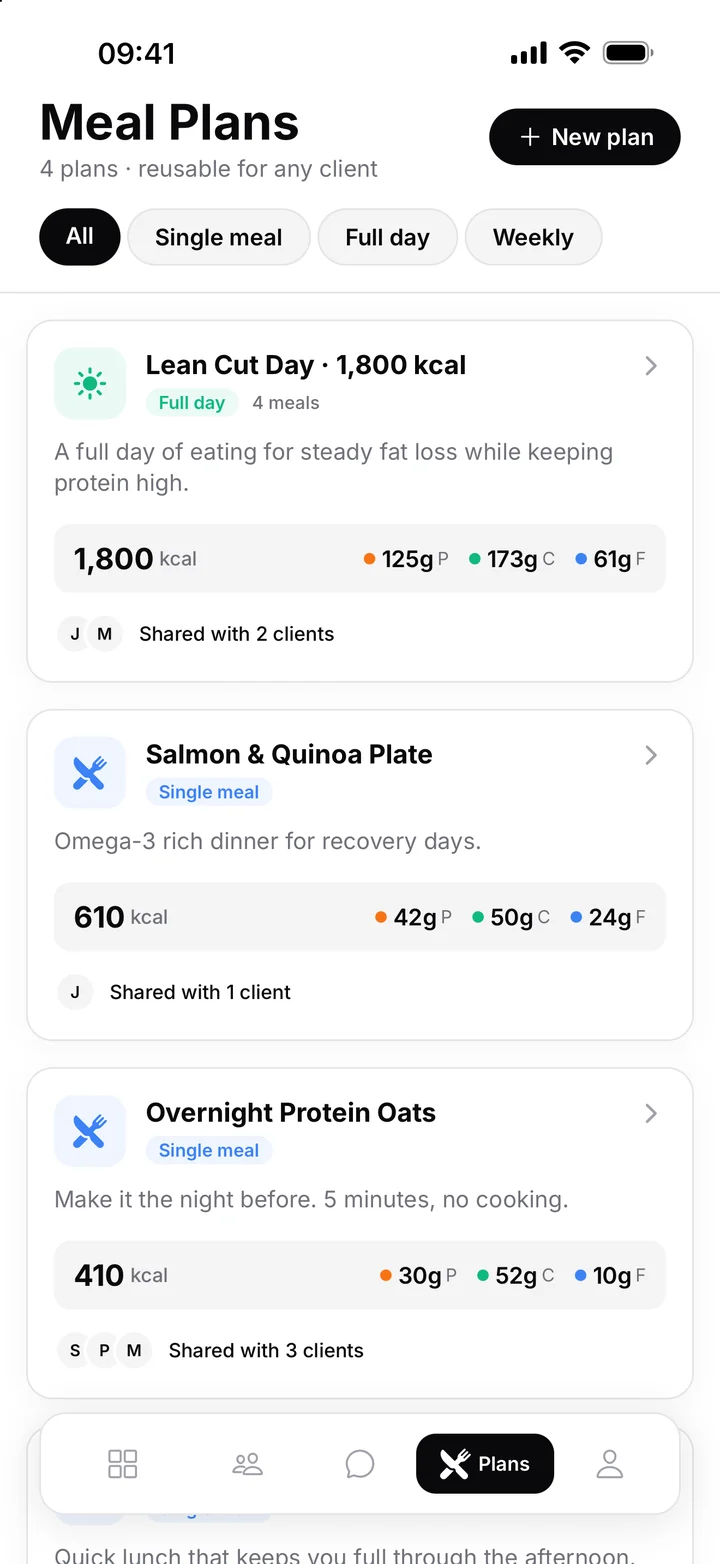
- Meal plans, written once. Build a single meal or a full day with macros and share it with as many clients as you like.
- Targets per client. Set calorie and macro targets that FitLens tracks against every day.
- Your own squad and chat. A private group feed for your clients, plus direct messages. Report and block are built in.
- Easy onboarding. Clients join your roster with your trainer code.
What your clients get
- The fastest way to log a meal: a photo or a sentence.
- A daily ring for calories, macros and water, so they always know where they stand.
- Meal plans from you, ready to follow.
- Weight tracking with trends, not just daily numbers.
- A squad that keeps them accountable, and a direct line to you.
Clients always use FitLens for free. The easier logging is, the more of their week you actually see. For a coaching routine built around this, read how to track your clients' nutrition.
Is FitLens right for you?
| FitLens is a good fit if… | Consider another tool if… |
|---|---|
| Nutrition is a big part of how you coach | You only need workout programming |
| Your clients won't stick with weighing and searching foods | Clients need gram-precise tracking for a medical or competition reason |
| You want to see meals without chasing screenshots | You want one platform that also runs payments and scheduling |
| You coach in person, online, or both | Your clients don't use iPhones (FitLens is iPhone-first) |
Already on an all-in-one platform? See how FitLens compares in FitLens vs. Trainerize for nutrition coaching.
A note on accuracy
Photo-based nutrition estimates are best at everyday plated meals and at showing trends over a week. They are less reliable for hidden oils, sauces and mixed dishes, which is why FitLens shows every ingredient it counted and lets clients add a short note. FitLens provides estimates for coaching and general wellness, not medical advice. More detail in how accurate AI calorie counters are.
Works however you coach
- In-person trainers: see what clients ate between sessions, and open each session knowing whether last week's nutrition supported the training.
- Online coaches: replace weekly food-diary check-ins with a dashboard that updates as clients eat, and message clients the same day something slips.
- Hybrid coaches: keep one view of every client's nutrition, whether you see them weekly or monthly.
Get started in three steps
- Join the pilot and set up your trainer profile in the FitLens app.
- Share your trainer code. Clients download FitLens, enter the code, and appear in your roster and your squad.
- Set targets and share a meal plan. Give each client a calorie and protein target, share a plan if you use one, and their meals start arriving on your dashboard.
Common questions
Do my clients need to pay?
No. Clients always use FitLens for free.
Can clients log without a photo?
Yes. A short text description (“two eggs, toast with butter, black coffee”) works too, and adding a note to a photo improves the estimate.
Can I review or correct what the AI estimated?
Every meal shows the ingredients FitLens counted, so you and your client can see what was included. You can mark meals as verified from your dashboard.
Is my clients' data private?
Client data is never sold or used for advertising, and clients can delete their account at any time. See the privacy policy.
Pricing
FitLens is free for trainers during the pilot, and clients always use it for free. We'll share pricing with pilot trainers well before anything changes.